Start Building Real Tech Skills.
Build skills from basic prints to creating functional 3D designs.
3D Printing
3D printing is a quickly emerging technology in the manufacturing industry. With 3D printing, manufacturers are able to print parts at a fraction of the cost of traditional methods. 3D printing is now becoming more affordable for consumers and small businesses. The process begins with making a 3D model through a modeling software or scanning an object. Then in a process known as fused deposition modeling, the object is printed using an extruder and a continuous filament of a thermoplastic material. The plastic is added layer by layer, allowing for the production of very complex shapes or geometries.
What Are Tech Kit Modules?
Tech Kits are part of the walk-in service provided by Innovate Labs. If you have no prior experience, start with Beginner. If you have some experience, explore Intermediate kits, and move on to Advanced when you’re ready.
Beginner
3D Printing Pen
Length: 30 MinutesDescription: 3D printing with pens introduces a hands-on way to explore additive manufacturing, where objects are built layer by layer using melted plastic. Unlike traditional printers, 3D pens allow users to manually draw structures in three dimensions, offering a tactile experience that blends creativity with engineering principles. This technology is often used for prototyping, artistic design, and educational exploration, helping learners visualize spatial relationships and structural integrity. By understanding basic concepts like filament types, temperature control, and design stability, students can begin to grasp how digital models translate into physical forms through controlled extrusion.
Intermediate
Prusa i3 MK3
Length: 45 MinutesDescription: Slicing software refers to dividing a model into individual material layers called slices. This software allows control over material, orientation, layer height, supports, and infill. The printer receives this as a G-code file, which contains the instructions needed to produce the object while minimizing print failure.
3D Modelling
3D modelling is the process of describing objects mathematically in three dimensions. 3D modelers can make an object from an abstract idea or 2D directions. These technologies are useful for companies to create products that can be manufactured in the real world. 3D models can further be printed, proving to be useful for companies to prototype a new product quickly.
What Are Tech Kit Modules?
Tech Kits are part of the walk-in service provided by Innovate Labs. If you have no prior experience, start with Beginner. If you have some experience, explore Intermediate kits, and move on to Advanced when you’re ready.
Beginner
Tinkercad
Length: 30 MinutesDescription: Tinkercad is a beginner-friendly online platform that introduces users to 3D modeling by allowing them to create digital designs using simple geometric shapes. It operates through a browser and provides an intuitive interface where users can drag, resize, and combine objects to build models. These designs can be used for applications such as prototyping, engineering, or 3D printing. The platform emphasizes spatial reasoning and creativity, making it accessible for those exploring design and technology for the first time.
Intermediate
SolidWorks
Length: 45 MinutesDescription: SolidWorks is a computer-aided design (CAD) software used to create detailed 3D models of physical objects. It enables users to design, simulate, and visualize components and assemblies in a virtual environment, helping streamline the engineering and manufacturing process. Its applications include designing parts with precise dimensions, testing fit, and predicting performance under real-world conditions.
Advanced Project
What Are Advanced Tech Kit Modules? The Advanced level combines concepts from both Beginner and Intermediate Tech Kits into a more integrated, hands-on experience. Participants will apply foundational skills alongside more complex tools and workflows to complete a comprehensive project. This level is designed for those who are comfortable with the basics and ready to connect multiple concepts to build more advanced, real-world solutions.
Advanced
More Information Coming Soon
Length: 60 Minutes Description: More Information Coming Soon.Click Here for Advanced Tech Kit →
Resources
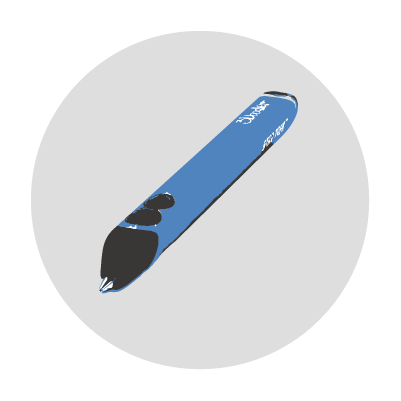
3Doodler Flow 3D Printing Pens
Quantity: 8
Description: A 3D printing pen extrudes heated plastic filament from the pen’s nozzle to make possible the drawing of raised graphics on any flat surface.
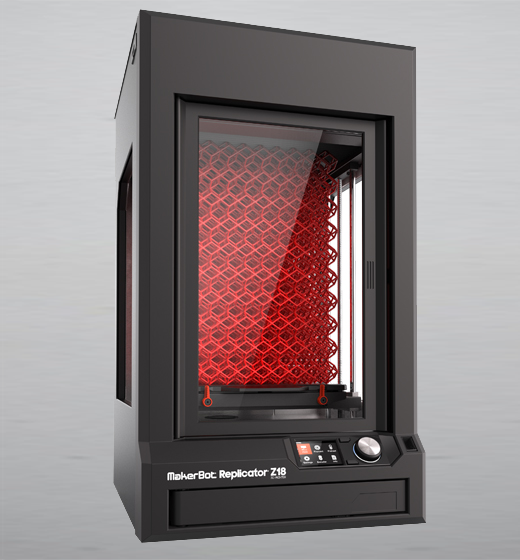
Makerbot: Replicator Z18
Quantity: 1
Description: This 3D printer is versatile solution for users from beginners to professionals.
Makerbot Desktop
Type: Modeling Software
Description: Makerbot Desktop is a free software that allows users to smoothly upload and prepare files for 3D prints.
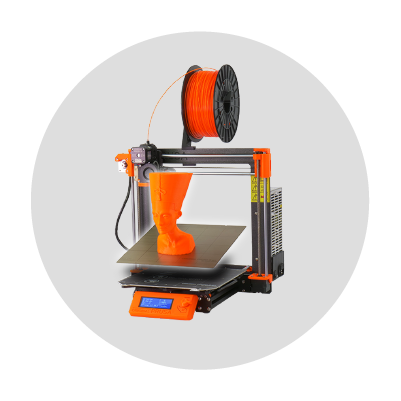
Prusa i3 MK3+
Quantity: 1
Description: The Prusa i3 MK3+ is an automatic 3D printer running on open-source hardware and software.
Prusa Slicer
Type: Software
Description: Slicer software allows the user complete control over every aspect of a 3D print. This includes, but is not limited to, the material, orientation, layer height, supports, and infill of the model.

Prusa MK4
Quantity: 1
Description: The Prusa MK4 is a multicolor automatic 3D printer with open-source hardware and software.
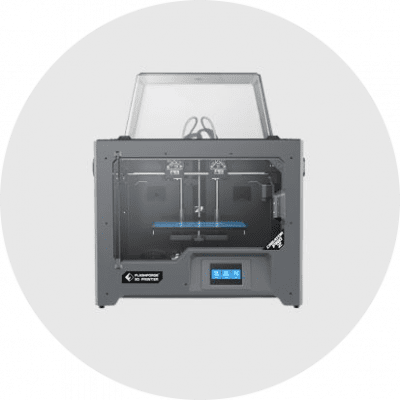
FlashForge Creater Pro 2
Quantity: 1
Description: The Flashforge Creator Pro 2 provides beginners with higher quality and easier operation.
SolidWorks
Type: Modeling Software
Description: SolidWorks is a solid modeling computer-aided design (CAD) and computer-aided engineering (CAE) computer program that runs on Microsoft Windows.
Tinkercad
Type: Modeling Software
Description: Tinkercad is a free, simple, online 3D design and 3D printing application for everyone. It is used by designers and hobbyists to make models and prototypes
Makerbot Desktop
Type: Modeling Software
Description: Makerbot Desktop is a free software that allows users to smoothly upload and prepare files for 3D prints.